
InfraFence inside cPanel & WHM
Last updated:
The InfraFence plugin for WHM shows what the InfraFence agent on a cPanel server is doing, and lets root act on it without leaving WHM: the security score and the attacks of the day, bans, the whitelist, malware findings, security events, the other security tools on the server, and a malware scan for one site.
It is included in the Basic, Pro and AutoMode plans: create your account, add the server, and the dashboard gives you the install command for the plugin.
To see it at work, read what it did on one of our own production cPanel servers in its first 24 hours.
How it works
The plugin is a thin interface over the agent already running on the server. Each screen runs one command as root, infrafence-agent panel <command> --json, and shows the answer. The command talks to the agent over a local socket that only root can open.
- No credentials in WHM. The plugin stores no InfraFence key or token. Open in InfraFence is a plain link to the server's page in the dashboard, where you sign in as usual, with two-factor authentication.
- Hands off the host. The plugin never changes the firewall, ModSecurity or any other tool by itself. Every change goes through the agent, which keeps to its own firewall chains.
- Every change is recorded. The agent reports each unban, allow and scan to the dashboard as an event, with the name of the WHM user who made it.
The screens
Seven screens under WHM » Plugins » InfraFence. The screenshots below are rendered from the plugin with sample data.
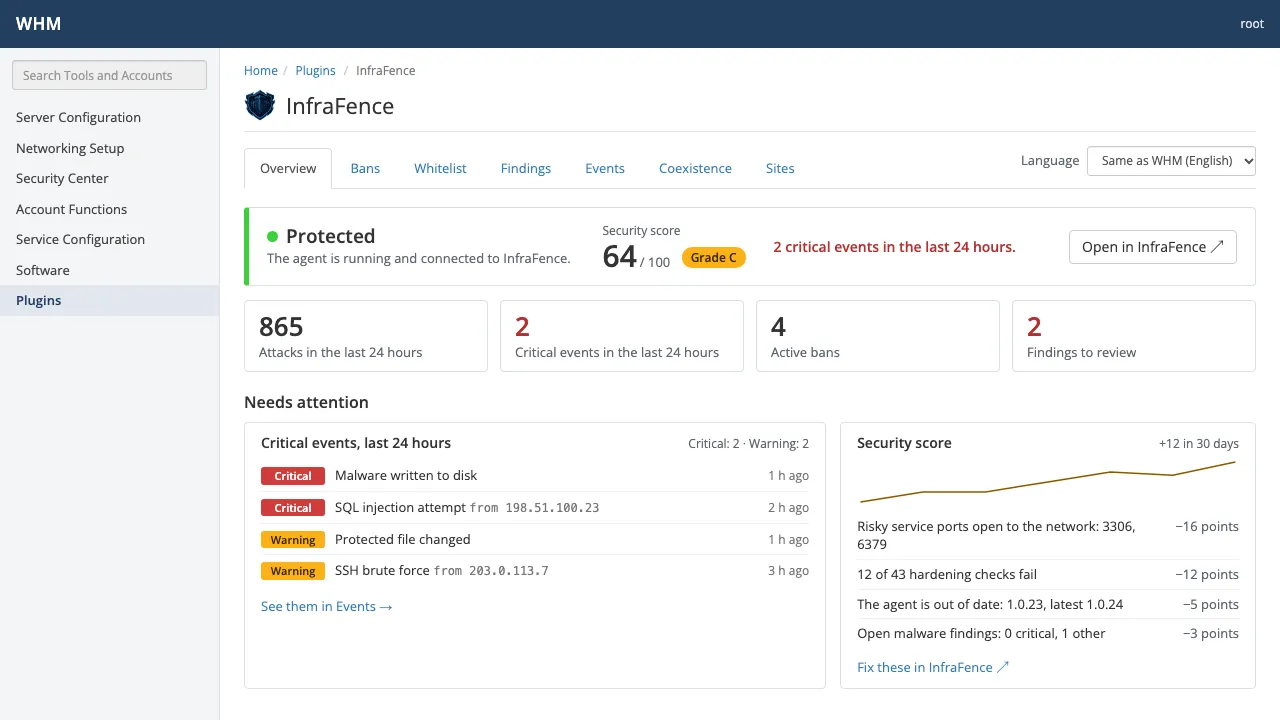
Overview
Protection status and security score, the critical events of the last 24 hours, where the attacks came from, and the technical details, with a link to the server in the InfraFence dashboard.
cPanel & WHM · Overview Bans
Every banned address with its reason and source. Unban it on this server only, or add it to the whitelist.
cPanel & WHM · Bans 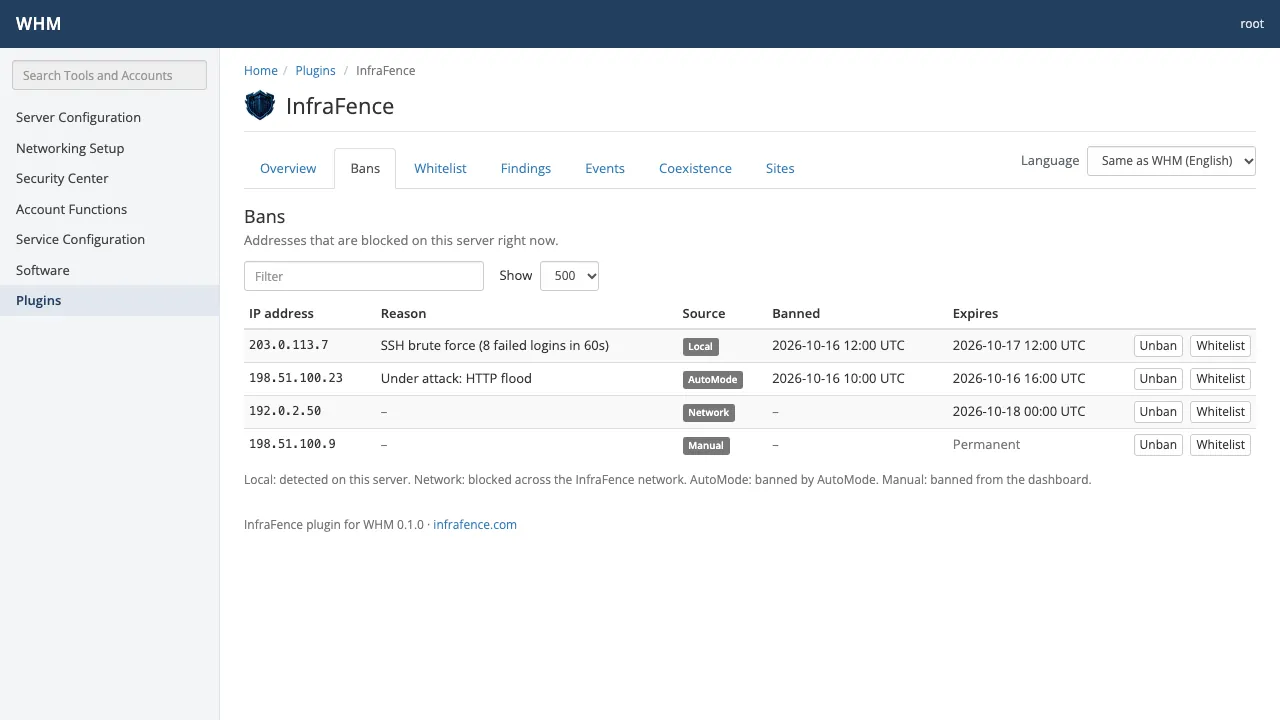
Whitelist
Addresses that are never banned: the ones added in the panel and your organization's entries from the dashboard.
cPanel & WHM · Whitelist 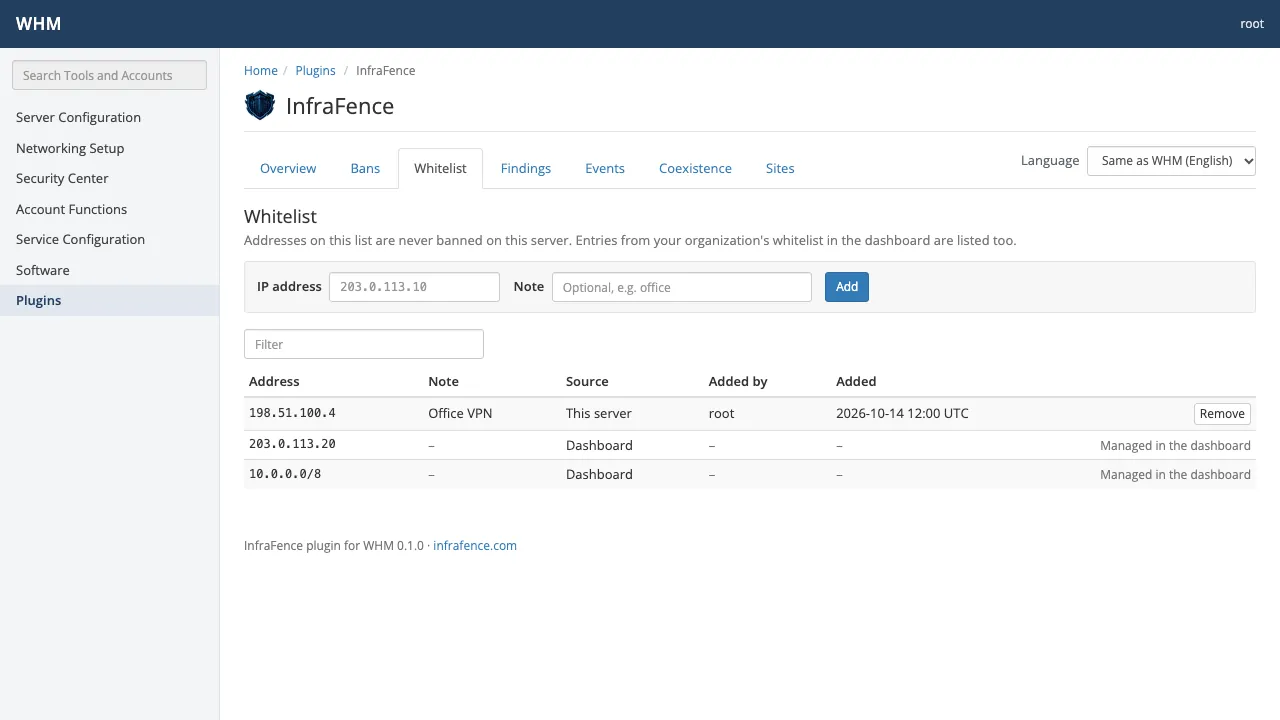
Findings
Malware and file-integrity findings on the server, with severity and status.
cPanel & WHM · Findings 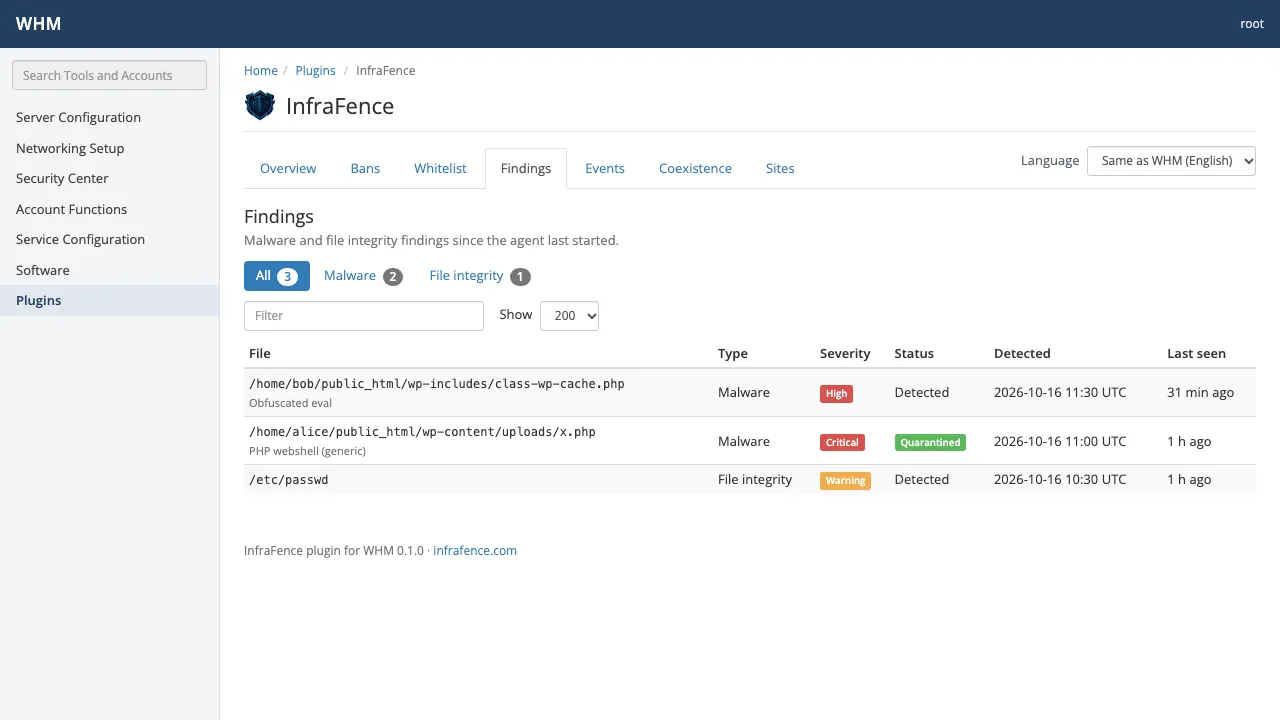
Events
Recent security events: what happened, how serious it is and where it came from.
cPanel & WHM · Events 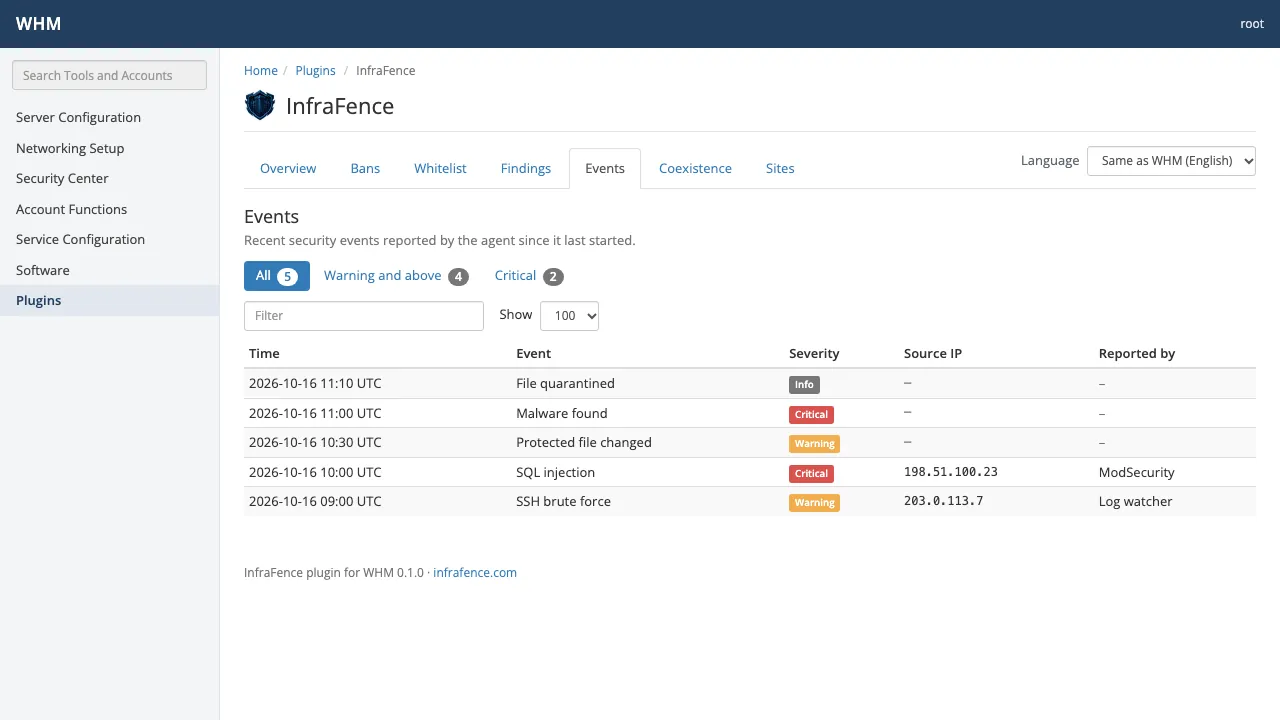
Coexistence
The other security tools found on the server, and what InfraFence does next to each one.
cPanel & WHM · Coexistence 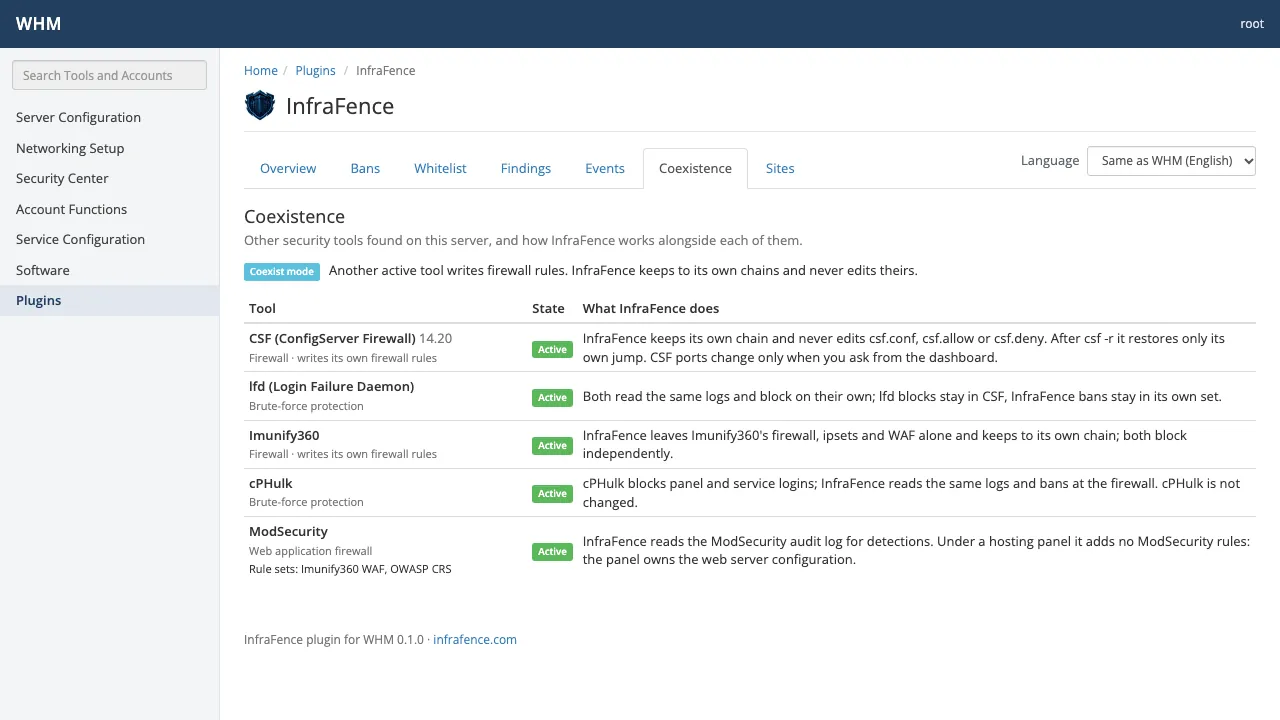
Sites and domains
Every account's domains and document roots, whether the scheduled malware scan covers them, and Scan now for a single site.
cPanel & WHM · Sites and domains 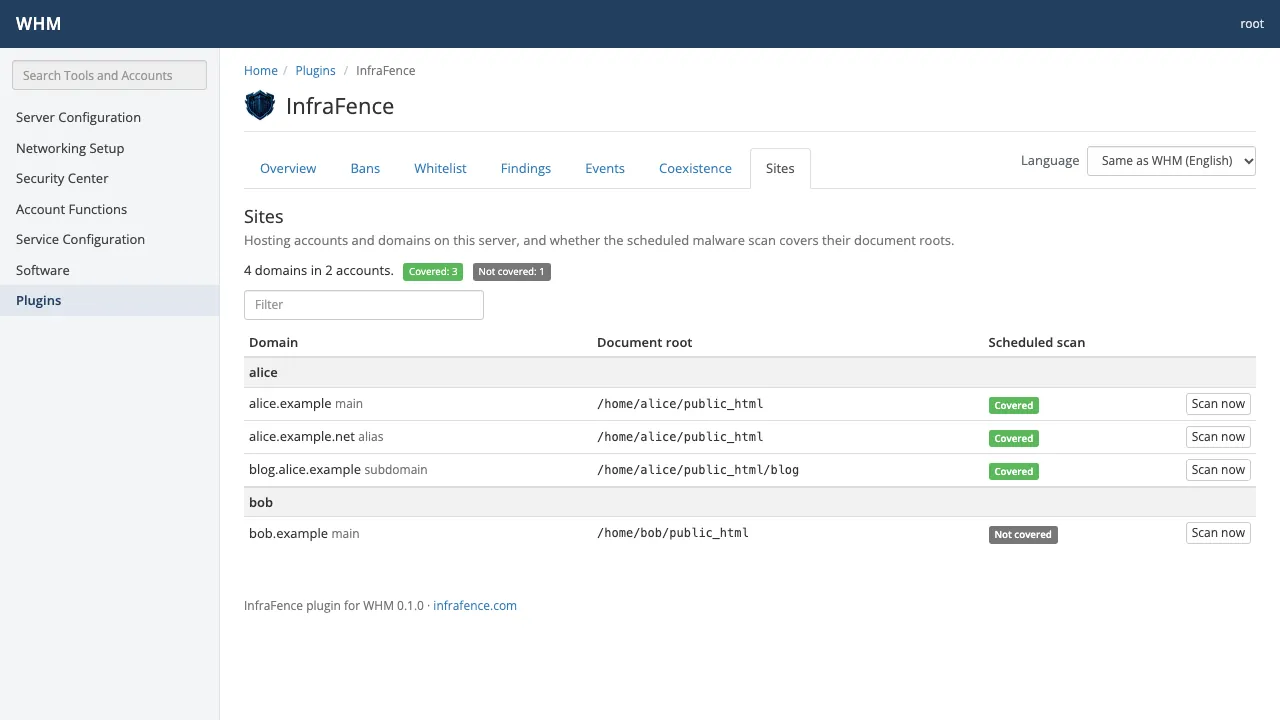
When the agent is not installed, the plugin says how to add the server in the InfraFence dashboard instead.
Root only
The agent's answers cover the whole server, every account included, so the plugin is for root only. It is registered with acls=all, and the plugin checks again that the WHM user has root on every request. Resellers and cPanel users never see it.
- Unban, allow, remove and scan always show a confirmation page first, and run only on a POST that carries the session's WHM security token. A request from another site is refused.
- Addresses are validated before the command runs, and a scan accepts only a document root the agent itself listed as scannable: inside the account's home and owned by it.
- The agent is started from a list of arguments, never through a shell, with a clean environment and a time limit. The plugin runs it only if the binary and every directory above it are owned by root and not writable by anyone else.
- An unban from WHM lifts the ban on this server only, for at most 30 days. The ban stays in the dashboard and on your other servers, and the plugin says so before and after.
Next to CSF, Imunify360 and cPHulk
cPanel servers rarely start clean. The agent detects the security tools already there, and the Coexistence screen shows what InfraFence does next to each one:
| Tool | What InfraFence does |
|---|---|
| CSF | Keeps its own chain and never edits csf.conf, csf.allow or csf.deny. After csf -r it restores only its own jump. CSF ports change only when you ask from the dashboard. |
| lfd | Both read the same logs and block on their own: lfd blocks stay in CSF, InfraFence bans stay in its own set. |
| Imunify360 | Leaves Imunify360's firewall, ipsets and WAF alone and keeps to its own chain. Both block independently. |
| cPHulk | cPHulk blocks panel and service logins; InfraFence reads the same logs and bans at the firewall. cPHulk is not changed. |
| ModSecurity | InfraFence reads the ModSecurity audit log for detections. Under cPanel it adds no ModSecurity rules: the panel owns the web server configuration. |
It also recognises fail2ban, CrowdSec, BitNinja, Monarx, firewalld and ufw. This is how the agent is designed and tested; it is not a certification by any of these vendors.
Install
- Create your InfraFence account and install the agent on the server: in the dashboard, Servers › Add server, then run the install command as root.
- In the dashboard, open Panel plugins › cPanel & WHM and copy the install command for the server's system: the RPM for AlmaLinux 8, 9 and 10, CloudLinux and Rocky, the .deb for Ubuntu 24.04, or the tarball.
- Run it on the server as root. It downloads the package, checks it against the release's checksums and installs it. The installer checks the server first: if a check fails, nothing is changed, and no service is restarted.
To remove it: /usr/local/share/infrafence-whm/uninstall.sh after a tarball install, or dnf remove infrafence-whm, or apt remove infrafence-whm. Uninstalling removes the plugin only, never the agent.
The plugin is included in Basic, Pro and AutoMode: you pay per server, as you would without it. Starter does not include it, and if payment stops the plugin shows no data until the plan is active again. Requirements: cPanel & WHM 11.110 or later.
Source code
The plugin is source-available under BSL 1.1, like the agent: read its source on GitHub before it reaches a server. Its text follows the WHM user's language: English, Italian, Spanish, French, German or Portuguese.
The Plesk extension is in development: write to info@infrafence.com if you want to try it. The hosting page has the details.
Try it free on 1 server
Starter gives one server full protection, free and with no credit card.
- 01
Create a free account, then open Servers › Add server to get your install token. It is valid for one hour.
Create the token - 02
Then run this as root on the server:
curl -fsSL https://github.com/infrafence/infrafence-agent/releases/latest/download/install.sh | sudo bash -s -- --token <TOKEN>